CPSC 4050 / 6050
Fall 2014
Ooh It's So Shiny!
Homework
Assignment 4
Due: Tuesday, March
4, 2014
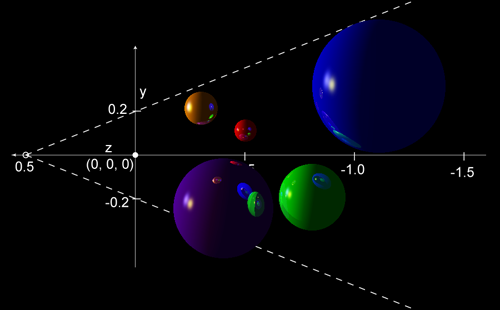
Orthographic side view of the
spheres, with reflections and shading indicated
Problem
Description:
In this assignment you are to extend
your raycasting renderer to a full raytracer. We will still consider only spheres for
geometry, but now we
will be doing a global illumination calculation, which will account
for all lights, shadows, and inter-reflections along the main
mirror-reflection direction.
You are to upgrade your
raycasting renderer from Programming Project 3. All of the
sphere positions, sizes and colors should be the same as in the
previous assignment, but now make all of your spheres strongly
specular, with high specular exponents (100 for example). To do
this, make the ambient color very dark (about 0.1 in value), and
the diffuse color medium light (about 0.8 in value). The
specular color of all spheres should be very light grey (about
value 0.9). Also, this time make three lights, all of which are
point lights. Make two light yellow lights at position (2, 0.5,
0), and (1, 0.5, -5). Make one light blue light at (-1, 1, 5).
For simplicity,assume that a ray terminates when
its attenuation factor reaches 1% or after 8 bounces, whichever
occurs first.
Once you get the program
working, experiment with different sphere and light
arrangements, and values for your material characteristics until
you get a picture that you think looks interesting.
Basic
Requirements:
Your program
should be named raytrace.
The program should be able to render and display either a parallel
projection or a perspective projection of the scene, and should
allow a variable pixmap resolution for rendering the scene. The program commandline
should have the format:
raytrace [l|v] [pixwidth] scene.txt
[image-filename.ext]
with all command line parameters having the same
meaning as in the previous assignments, except now there is
a required scene description file scene.txt which
contains both camera information and a description of the
obects in the scene to be rendered. The formatting of this
file is up to you.
Advanced
Extensions (pick one):
1) Upgrade
your raytracer to include refractions. Make one of the spheres a
"crystal ball" to demonstrate this.
2) Make your
lights spotlights, and experiment with adjusting their cone angle,
exponent, and aim direction to see how this affects your images.
3) Antialias
by shooting multiple rays per pixel.
Expected
Output:
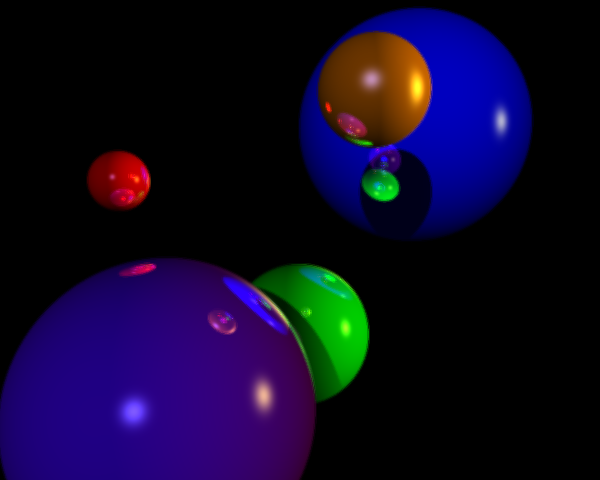
Here is what
the output of the basic assignment should look like in perspective
view, using the camera parameters from assignment 2. This image on
the left is not antialiased, the image on the right is antialiased
using 9 rays per pixel.
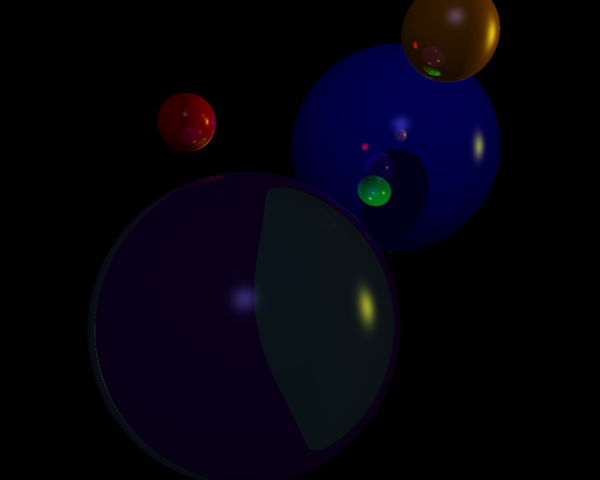
Here is a
view where the purple ball is made of glass, so there is
refraction. I kept the ambient and diffuse color value of the
purple ball at 0.1, and made the specular color's value 0.8. The
coefficient of refraction was set to 1.5, and 9 rays were shot per
pixel. The camera position was moved so that the green ball was
entirely behind the purple ball.
General:
Please write
the program in C++ , using OpenGL and GLUT graphics routines for
the display. Make sure to put a header in each file of your code
that gives a description of the program or object, your name, the
date, and instructions on how it is used. Please turn in at least
two different images you have made with your renderer.